Second Hand Phone Checklist Before Buying
If you want to avoid paying for the wrong features. This guide walks you through what matters (and what doesn’t) before you buy second hand phone. You’ll learn how to verify authenticity, assess real-world performance, and compare price in india without getting trapped by buzzwords.
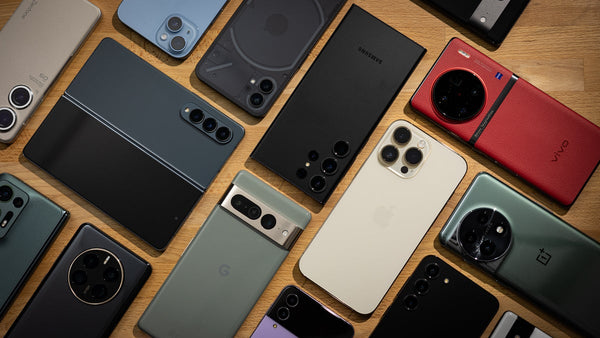
Before we dive in, remember: condition, provenance, and after-sales support matter far more than niche features you’ll never use. Follow the steps below and you’ll leave with a device that lasts—and a deal you can defend.
Decide what you actually need (and skip the gimmicks)
Start with your daily use: calls, UPI payments, WhatsApp, social apps, photos, and navigation. Prioritize a clean display, stable battery life, dependable cameras, and 4G/5G band support used by your carrier. Don’t pay extra for niche features like macro sensors with low resolution, ultra-high refresh rates you won’t notice, or giant storage if you mostly stream.
If gaming is light, a mid-range chipset and 4 GB/64 GB can be enough; power users may want 6–8 GB RAM and UFS storage. For cameras, look for optical image stabilization or proven sensors over inflated megapixels. Check that the device supports crucial Indian LTE bands (especially Band 3/5/40) and VoLTE/ViLTE if you video call often. This clarity will keep you from overspending on specs that don’t improve your day-to-day experience.
Verify the device: IMEI, battery, screen, and locks
Always verify the IMEI on the box, SIM tray, and in Settings match. Use the government portal to confirm the IMEI isn’t blocked, then proceed only if it’s clean. On iPhone, open Settings > Battery > Battery Health & Charging to view maximum capacity and performance status; on Android, use the maker’s diagnostics app or Battery settings to check health trends. If the battery is weak, factor replacement cost into the price.
Inspect the screen at 0% and 100% brightness for discoloration or touch dead zones. Check the charging port, speakers, microphones, and cameras with a quick test photo/video. For water exposure, look for the Liquid Contact Indicator (on many iPhones it’s visible inside the SIM tray) and avoid devices showing red. Finally, ensure the phone is factory reset with the seller’s accounts removed and “Find My iPhone”/Factory Reset Protection turned off—walk away if the seller refuses.
Paperwork, warranty, and where to shop
Documentation protects you. Ask for the original bill, box, and any repair invoices. If you’re buying a refurbished phone with warranty, confirm what parts are covered, the claim process, and whether service is door-to-door or at partner centers. Marketplaces like Amazon Renewed and specialist refurbishers often provide written coverage and return windows; local stores may offer store warranty—get it in writing.
Prefer sellers that allow testing, returns, and issue a proper invoice with IMEI. Searching terms on google like used phone store near me can help you find nearby options to compare in person. When purchasing iPhones, prioritize finding certified used iphone deals from reputed sellers who test batteries and replace with genuine parts if needed. For Android, look for brands with accessible service networks in your city so future repairs aren’t a hassle.
Pricing, negotiation, and value picks under ₹10,000
Good pricing aligns with age, condition, storage, battery health, and 5G support. Compare listings across platforms to gauge a fair second hand phone price, then ask: has the screen or battery been replaced, and with what quality of parts? Cosmetic wear is fine if the price reflects it; performance issues are not. Negotiate politely with data—show similar listings and warranty terms to justify your offer.
For tight budgets, the “best used phones under 10000” category typically includes 2019–2021 mid-range Android models with capable cameras and day-long batteries. Focus on a clean display, decent processor, and at least 64 GB storage. If you shoot many photos or use dual apps, 128 GB is worth the small premium. No matter the brand, do a hands-on check, run a quick speed test over your SIM, and confirm accessories (charger, cable) are safe and functioning.
Quick checklist you can screenshot
- Match IMEI on box, SIM tray, and in-phone; verify it’s not blocked.
- Sign out of all accounts; ensure iCloud/Google locks are off; factory reset together.
- Check battery health or runtime; confirm charging speed and port stability.
- Inspect screen, touch responsiveness, speakers, mic, cameras, and all buttons.
- Look for water-damage flags and uneven gaps around the frame.
- Confirm invoice with IMEI, written warranty/return policy, and seller details.
- Compare prices across platforms and stores; verify accessories.
- Pay only after testing your own SIM and Wi-Fi.
Final word
A smart second-hand buy is about discipline, not luck. Define needs, test thoroughly, and favor transparent sellers with paperwork. Whether you’re hunting certified used iphone deals or aiming to buy second hand phone locally, lean on a written warranty and a clean IMEI to protect your money. Ready to shortlist a model and city? Tell me your budget and where you’re shopping—I’ll help you pick the right store and negotiate confidently.